Discord Community Management: Setup, Moderation, Metrics
"Learn how to run Discord community management at scale: set up roles and verification, automate moderation, handle escalations and measure health."
Discord actioned 18.97% of user reports concerning harassment and bullying in the first half of 2024, according to Statista's tracking of reports actioned by category. The large majority of those reports ended without a recorded enforcement outcome. That ratio is the most useful thing to understand about running a server at scale: the work is judgement under volume, not a queue that empties itself.
Treat Discord community management as an operations job and its deliverables become concrete: configured permission sets, a routing map from case type to owner, and a dashboard that reports enforcement quality and moderator load. Member count appears on none of them. A server that hits six figures of members with none of those three in place isn't growing. It's accumulating risk that surfaces as a raid, a burnout resignation, or a screenshotted threat nobody handled.
Table of Contents
- Why Discord Community Management Gets Harder as You Grow
- How to Set Up Roles, Rules and Verification
- Automating the Noise Without Losing Judgment
- Engagement and Support Routing That Keeps Members Active
- Handling Sensitive Conversations and Moderator Burnout
- Measuring Enforcement Quality and Community Health
- Confirm Your Governance Model Before You Scale
Why Discord Community Management Gets Harder as You Grow
Moderation load grows faster than membership does. That's the lesson in Discord's own operating history, and it's why a server that feels manageable this quarter can feel ungovernable the next.
Discord reported more than 100 million monthly active users in June 2020 and 150 million by September 2021, a 50% increase in roughly 15 months, according to its H1 2021 transparency report. Report volume moved faster. Trust & Safety took in about 128,000 user reports in the second half of 2019, roughly 235,000 in the first half of 2020, an increase near 84%, and 437,190 in the first half of 2021. Monthly reports climbed from slightly over 25,000 in January 2020 to more than 70,000 a year later.
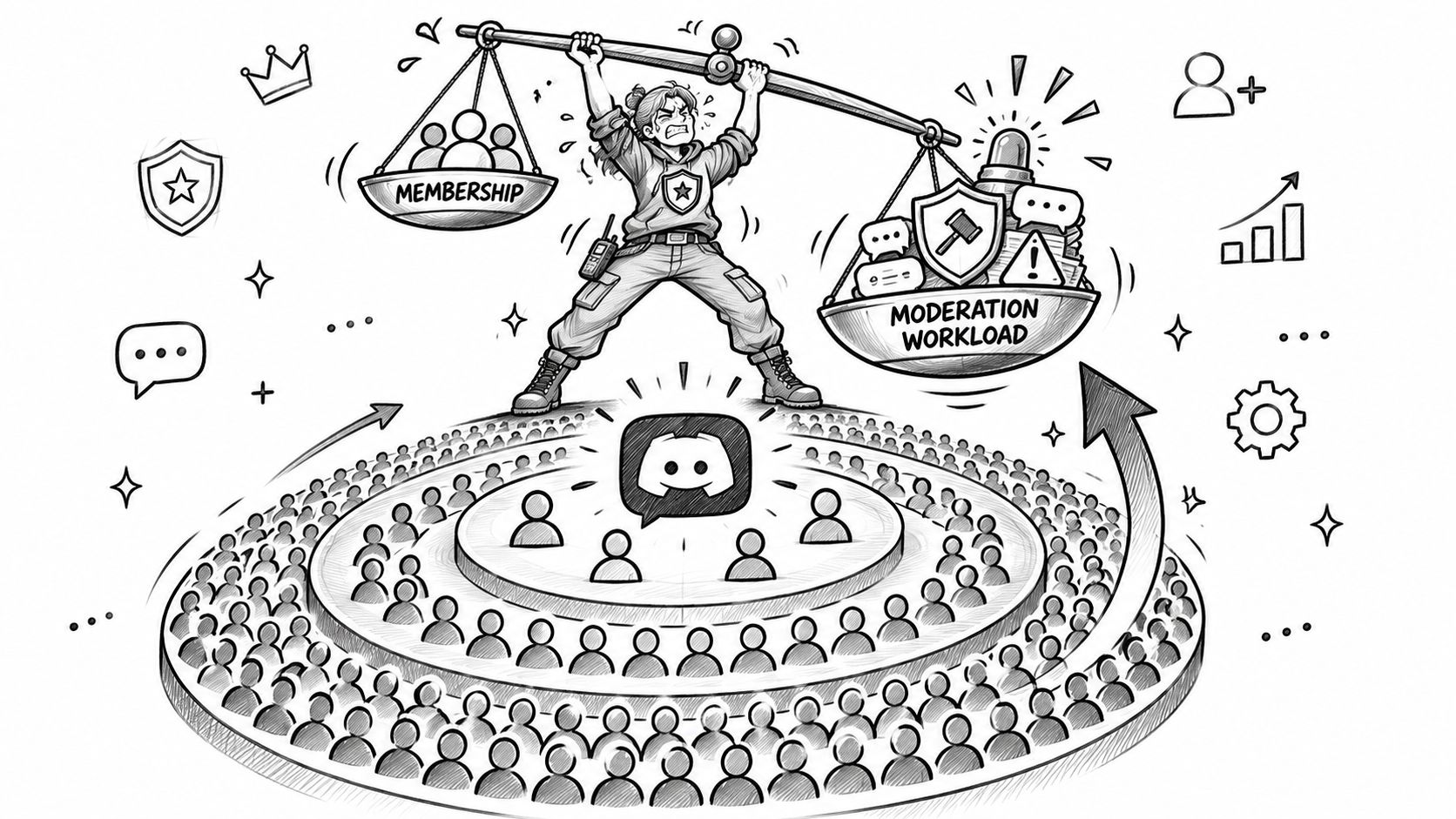
Every one of those reports is a decision a person had to make and a record someone had to keep. At a few hundred members, a server absorbs that with three volunteers and a chat channel. At tens of thousands, it needs what a city needs: traffic rules, a response force, and a records office. The friendly-host model breaks long before the member milestone you had in mind, because the same ambiguous rule gets tested thousands of times and almost nobody reads the rules channel.
The four layers you govern
- Individual messages. The conduct standard decides what comes down. The moderator on duty owns the call. The evidence is a preserved copy of the message captured before deletion, not after.
- User accounts. The graduated sanction ladder decides warnings, timeouts and bans. A named senior moderator owns it. Prior warnings tied to the account are the evidence.
- Server membership and roles. The role matrix decides who can post where and who holds privilege. The administrator who owns server structure answers for it, and the audit log is the trail.
- The whole community. The escalation path covers raids, scam waves and PR incidents. The safety lead owns it, with join patterns, alert history and a timeline as the record.
Most servers have a written rule for the first layer and nothing at all for the other three. That's fine until the day a raid starts at 2am and nobody knows who can flip the verification level.
If you take one measurement away from this, take action rate and reviewer workload. A large server where every report gets a decision within the hour is healthier than a smaller one with a month-deep queue and no named owner for the hard cases.
How to Set Up Roles, Rules and Verification
Treat server configuration as an operations deliverable: define who can act, where members can participate, and what evidence shows the controls are working. Role permissions determine whether a member or bot can delete messages, ban users, modify channels or use @everyone. Verification levels add account-age and membership-age requirements, as explained in Discord's four-step server safety guide.
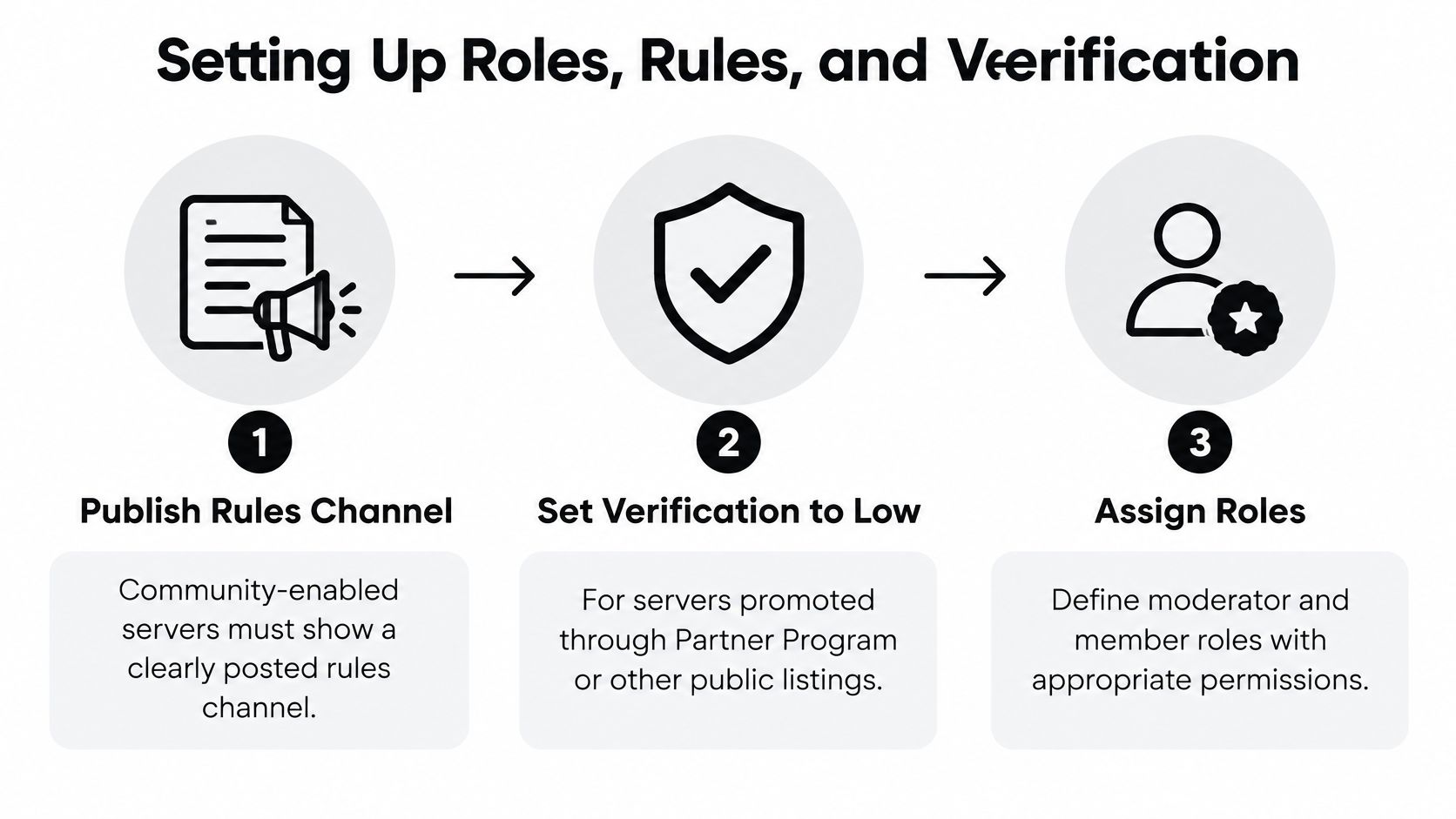
Publish the rules channel before opening participation. Community-enabled servers need a clearly posted rules channel. Members generally need a verified email before they can message or direct-message people, with role holders as the exception, according to Discord's guide to enabling Community. Put the rules where people encounter them before posting. A rule buried later in a pinned message is difficult to enforce consistently.
Set verification to at least Low, and use High as a raid lever. Discord recommends at least Low for servers promoted through public invite links. High requires a verified email, an account at least five minutes old and ten minutes of server membership, as described in the Verification Levels documentation. Begin with lower friction, raise the level when a wave hits, then reduce it when the pressure passes. Higher thresholds can slow suspicious joins, but they also add friction for legitimate members.
Protect staff access separately from server verification. Moderator accounts should use a phone number the organization controls, and the administrator team should hold the 2FA recovery codes. Do not pass accounts between volunteers; assign privileges through roles and remove them when responsibilities change. The temporary vs long-term Discord numbers link is not a sound basis for account recovery procedures.
Apply least privilege to people and bots. Keep moderation separate from server configuration. Review webhook permissions and grant each integration only the access its job requires. A compromised member account should not be able to restructure the server, and a compromised bot should not inherit administrator privileges by default.
Require two-factor authentication for moderators and administrators. Privileged actions depend on protected staff accounts. Server-wide 2FA adds a security boundary that role permissions alone cannot provide.
Give moderators a private operations channel. Keep escalation, platform updates and shift handovers out of public discussion. Define who receives urgent reports and where decisions are recorded, so staff can find the current status without searching through general chat.
Review the audit log and schedule a quarterly permission review. Roles that were appropriate at setup can become risky as staff, bots and channel purposes change. During the review, check role assignments, integration scopes and who can alter server structure. Record the owner and any changes; the configuration should be auditable, not dependent on memory.
| Role tier | Typical holder | May do | Keep away from |
|---|---|---|---|
| Community members | Everyone who joins | Read and post in public channels | Moderation, configuration, bot setup |
| Trusted members | Long-tenured, reliable users | Post in gated channels and use assigned roles | Bans, message deletion, channel changes |
| Volunteer moderators | Trained volunteers | Delete messages, time out users, review alerts | Server structure, webhook or bot setup |
| Administrators | Named staff owners | Change channels and roles | Daily moderation without a logged reason |
| Bots and integrations | Approved apps and AutoMod | Only the actions each integration needs | Administrator permission by default |
Check the setup against three operational questions: Does each role have a named owner? Does each bot have a documented scope? Can staff identify who may ban a user and who may change the server structure? If answering the last question requires a search, tighten the role map and document the permissions. Judge the configuration by whether authorized actions are clear and reviewable, not by how many roles it contains.
Automating the Noise Without Losing Judgment
The scam wave is usually the first thing a growing server meets. Twenty accounts post the same "free Nitro" link inside four minutes, members click it, and the moderation channel fills with screenshots while the actual messages scroll away. The fix isn't a better keyword list. It's deciding in advance which step is automated and which step belongs to a person.
Discord's AutoModeration API supports distinct rule mechanics rather than one generic filter: up to six keyword rules, one generic spam rule, one predefined-keyword rule, one mention-spam rule and one member-profile keyword rule, each able to block content and raise an alert for human review, per the AutoModeration API reference. That separation is the point. Scam phrases and slurs get blocked; suspicious patterns get logged for a reviewer.
Mention spam deserves its own rule. Discord lets a server cap unique user and role mentions per message, up to a maximum threshold of 50, with block, alert and timeout as available actions, per the AutoMod FAQ. During an outage surge, mass-pinging support roles and moderators is how a team loses an evening. Set the limit lower on announcement and support channels than on general chat.
The division of labour: automation detects, blocks and preserves evidence. People decide sanctions.
Research on voice-based community moderation makes the limit clear. Limited moderator availability delays intervention, rule evasion and changing forms of expression erode fixed detectors, and automated tools struggle with nuanced, case-by-case punishment decisions. The same work stresses persistent records, because moderators need evidence when content is ephemeral or disputed, as this study of moderation in voice communities documents.
| Case | Automated first step | Human owner | Evidence to keep |
|---|---|---|---|
| Scam or phishing link wave | Block the link pattern and alert | Moderator on duty, escalate to trust and safety | Message links, timestamps, account IDs |
| Mention flood during an outage | Mention-spam rule blocks the message and alerts | Support lead, comms if public-facing | Message count and mention targets |
| Slurs or harassment | Block and alert | Moderator review, then graduated sanction | Full message and surrounding context before deletion |
| Low-confidence toxicity | Queue for monitoring, no sanction | Reviewer within the agreed window | Context thread and prior warnings |
| Threats or doxxing | Immediate alert | Safety lead, immediate escalation | Preserved copy of the message and account record |
| Raid behavior | Raise verification level | Administrator on call | Join activity and role changes |
The last row is the one teams skip. Raising verification is an infrastructure action, not a moderation decision, and it needs a named person who can do it at 3am without waiting for approval.
Uncertain classifier output should never become an irreversible sanction. A sarcastic in-joke that reads as harassment to a keyword list belongs in a monitored queue with a response window, not in a ban. That's also the split Sift builds for: uncertain cases get flagged for your team to decide, and sensitive ones move to a person with the context attached.
Engagement and Support Routing That Keeps Members Active
Launch week is where routing failures show up first. A server opens with announcements, general chat and a support channel, and within four days bug reports are scattered through general, billing questions sit unanswered in support, and three people have asked the same setup question in four different threads. Nothing is broken. Nothing has an owner.
The fix is a channel per job, one owner per channel and a stated cadence. Announcements get posted by comms and locked to staff. Support questions go to a queue with an SLA. Bug reports get a tagged post format so engineering can read them without scrolling. Feature requests land in a product log rather than vanishing. General chat stays general.
| Channel | Purpose | Owner | Cadence |
|---|---|---|---|
| #announcements | Release notes, incidents, events | Comms | As needed, reviewed before posting |
| #support | Billing, account, access questions | Support | Daily queue review, first response inside the SLA |
| #bug-reports | Reproducible defects with steps and version | Engineering triage | Twice weekly |
| #feature-requests | Requests with a stated use case | Product | Weekly triage post |
| #general | Member conversation | Community manager | Daily skim, weekly theme check |
The weekly triage post is the part many teams drop. A short message that says which reports were accepted, which were duplicates and which won't be fixed, with a reason, converts a channel of complaints into a channel of contributors. It also cuts repeat submissions, because people stop filing the thing that's already acknowledged.
Onboarding follows the same logic. A welcome message, a rules acknowledgement, an introductions channel and one role that grants access to the main chat give a new member a path instead of a wall. Recognition roles for helpful members work well here: they signal standing and grant access to gated channels, and they carry no moderation power. Mixing the two is how you end up with a popular member who can delete posts.
Practical rule: one channel, one owner, one cadence. Any channel that can't name all three is a place where requests die quietly.
Run one scheduled activity a week with a named host, not a vague promise of events. A build night, an AMA, a feedback thread with a deadline. Predictable rhythm keeps members returning and gives you a natural slot for surfacing what changed because of their reports.
Handling Sensitive Conversations and Moderator Burnout
A rules-only playbook does not cover a member in distress. Rules tell people what not to post. They say nothing about the 1am message in a gaming server where someone describes a week they're not sure they want to finish, and the volunteer moderator reading it has no training, no backup and no idea whether they're allowed to close the tab.
This isn't a rare edge case. Discord's February 2025 survey of more than 500 moderators and community managers found that mental-health discussions occur organically in most moderated servers, and respondents asked for more training for moderators, as reported in Discord's safety news.

Three workflows, not one
Routine emotional support is the common case: someone venting after a bad week. The response is acknowledgement and referral language, not counselling. The moderator's job ends when the person has a route to real help and the thread is noted.
Imminent-risk escalation is different in kind. A stated intent to self-harm goes at once to the safety lead, with the message preserved, the account recorded and the timestamp logged. No debate in the mod channel, no poll.
Post-incident care covers both the member and the moderator who handled it. A debrief within 48 hours, a written note of what happened, and an explicit handover if the moderator needs to step back.
Boundaries worth writing down
- No diagnosing. Moderators are not clinicians and shouldn't name a condition.
- No promises of confidentiality. Screenshots exist, appeals exist, and a promise you can't keep damages trust more than a careful explanation.
- No 24/7 coverage. A rota with shift caps beats an always-on volunteer who burns out in six weeks.
- No silent handling of threats. Every imminent-risk case gets logged, even when the resolution is quiet.
Escalation card, three tiers. Tier one, emotional but stable: acknowledge, share referral resources, note it, check in the next day. Tier two, deteriorating or ambiguous: notify the safety lead, keep the thread, agree who follows up. Tier three, stated intent or disclosed danger: page the safety lead and their named backup, preserve everything, follow your local emergency guidance.
The sustainability piece is the one leadership never budgets for. Shift rotations, a cap on consecutive nights, a debrief after heavy cases and a rule that a moderator can hand off any conversation without justifying it. Add those to the rota and you keep experienced volunteers. Skip them and you rebuild the team every quarter, which costs more than the training would have.
Measuring Enforcement Quality and Community Health
Member counts mislead because they only ever go up. Discord's own enforcement data shows why the ratio matters more. In the second half of 2021 the share of user reports that resulted in action rose from 24% to 28%, while account disables for policy violations unrelated to spam climbed from 470,465 in the first half to 1,687,082 in the second half, an increase of roughly 259%, per the H2 2021 transparency report. Reports received, cases actioned and accounts intervened are three different numbers, and only the middle one tells you whether the queue is working.
A falling report count is ambiguous. It can mean healthier behaviour, it can mean members stopped bothering to report, and it can mean trust in the process collapsed after a bad call. Read volume next to other signals, never alone.
| Metric | What it tells you | Warning sign |
|---|---|---|
| Alert precision | Share of alerts that were real violations | Falling precision means rules are too broad |
| Median time from event to moderator action | Speed of response | Rising times during surges signal reviewer overload |
| Repeat-offender rate | Whether sanctions change behavior | High repeat rate after warnings |
| False-positive rate | Content actioned in error | Any rise needs a rule review |
| Appeal overturn rate | Consistency of decisions | Overturns clustered by moderator or channel |
| Time to review an appeal | Fairness and trust | Appeals waiting past the published target |
| Moderator agreement | Consistency across reviewers | Low agreement on the same case type |
| Reports per member | Volume relative to growth | Falling reports may mean under-reporting, not health |
| Support first response time | Speed to a human answer in support channels | Queue age past the published SLA |
Enforcement quality needs a paper trail before it needs a dashboard. Decision logs with the rule cited, an evidence standard for what gets kept, graduated sanctions with a stated ladder, appeal service-level targets and an overturn analysis by case type. Check for disparities by role or tenure without publishing sensitive user data, and review the findings with the moderators rather than about them.
Moderator agreement is the metric often left uncollected and the one that catches real problems. Sample ten closed cases a month, have a second reviewer score them independently, and look at where the two disagree. Clusters of disagreement mean the rule is unclear, not that someone is bad at the job.
The dashboard that fits on one screen is five numbers: alert precision, median time to action, repeat-offender rate, appeal overturn rate and support first response time. Set each target against your own baseline rather than an industry benchmark, review weekly, and write down what changed when a number moves.
Confirm Your Governance Model Before You Scale
Before the next growth spurt, make ownership explicit. Name who maintains the rules, approves revisions, decides sanctions, and handles threats or mental-health concerns, including a backup for each safety lead. Governance held in one person's head is difficult to transfer when that person is unavailable.
The four-step checklist
- Check verification and role boundaries against the role tier table. Review each role's permissions. Keep moderation separate from configuration, and remove administrator access from bots unless it is required.
- Set AutoMod thresholds by channel risk. Use tighter keyword and mention-spam limits in announcements and support channels than in general chat. Name who can raise verification during a raid.
- Document the escalation path. Identify the safety lead and backup, and specify what evidence to preserve and where to store it.
- Choose five metrics and a weekly review slot. Set targets against your own baseline and record the review on a shared calendar.
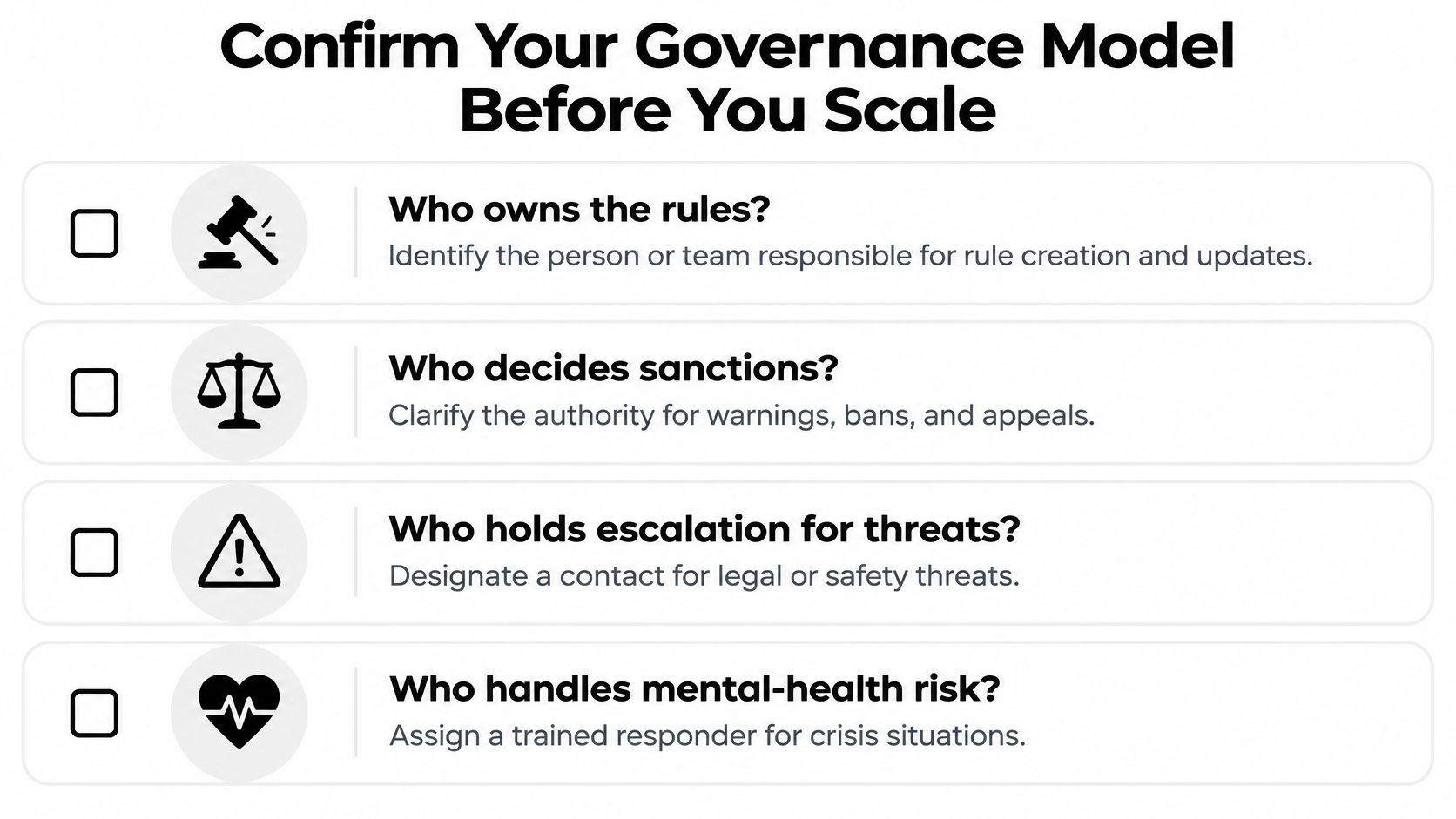
Treat the checklist as an operations handoff, not paperwork to file away. For every open item, record an owner and a due date. That gives moderators a clear route when a raid or safety concern needs a decision, and helps keep responsibility from falling to whoever happens to be online.
Discord conversations can also sit in a shared queue with other connected channels, where teams can route them and prepare replies for human review. Sift AI's Community Care and Social Support agents triage, route, and draft replies; the team decides when agents may send and when people review and send them. Discord is a supported channel.
If your server's work has outgrown a volunteer channel and a spreadsheet, consider what a shared inbox with drafted replies for human approval would change for your team. Explore Sift AI as you prepare your next governance review.