How to Identify Customer Needs on Social Channels
"Learn how to identify customer needs across X, Instagram, Discord and more with AI triage, intent tagging, and feedback loops that actually scale."
An outage starts, billing complaints flood the replies, and the same issue appears as a TikTok comment, an X post, and a private message on Instagram. One customer wants a charge reversed. Another can't log in. A third is warning other customers that the brand is ignoring them. The words overlap; the needs and the right next steps don't.
For social-care leaders, identifying customer needs isn't a periodic persona exercise. It's live triage: recognize intent, judge urgency, account for language and context, then route the signal to someone who can act. A miss can turn a resolvable support request into an SLA breach or a public escalation. A noisy queue can exhaust reviewers before they reach the cases that need judgment.
Table of Contents
- What Customer Needs Actually Look Like in Social Inboxes
- Setting Up Listening Across Every Channel
- Tagging Intent and Urgency So Routing Actually Works
- When AI Should Stop and Hand the Case to a Human
- Separating Public Signals from Private Account Data
- Prioritizing Needs Without Burning Out the Team
- Closing the Loop With Analytics and Brand Voice
What Customer Needs Actually Look Like in Social Inboxes
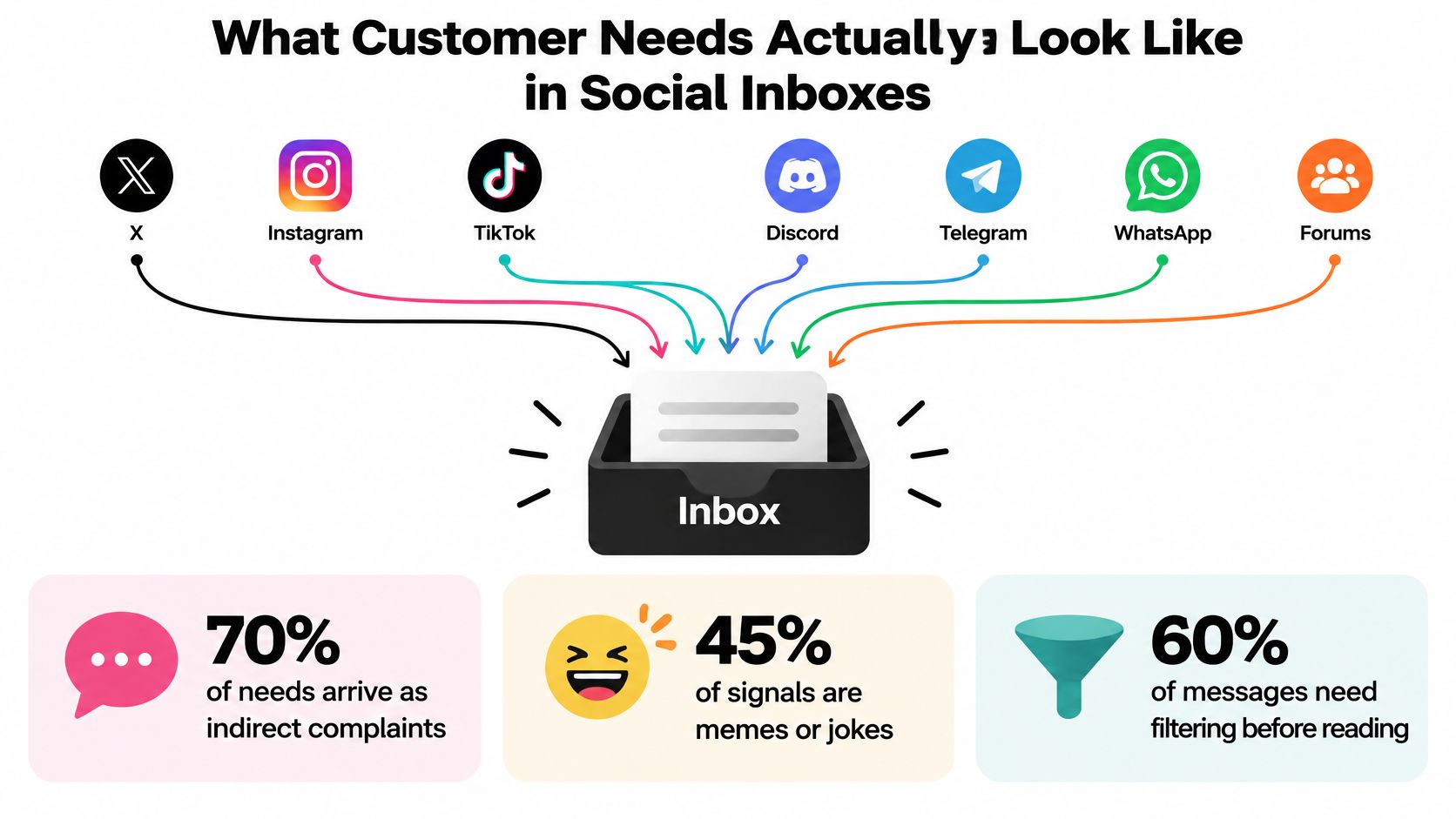
During a billing outage, the queue rarely arrives neatly labeled. A reply on X says, “Charged again. Great.” An Instagram DM asks whether a refund is coming. On Discord, a community member posts a screenshot of an error screen. A TikTok meme makes the outage look absurd, but its caption includes a request for help. Meanwhile, a customer in another time zone describes the same problem in regional slang.
The operational question isn't what each message says. It's what the customer is trying to get done: stop an incorrect charge, restore access, get a reliable update, or reach a person who can make an exception. Customer experience research from PwC found that 73% of consumers considered customer experience important to purchasing decisions, and nearly 80% of U.S. consumers named speed, convenience, knowledgeable help, and friendly service as key elements of a positive experience (PwC's consumer experience findings). The practical takeaway is to tag the underlying need, not just the words or channel.
Read for the job behind the message
A social inbox may bring together public mentions and private conversations from X, Instagram, TikTok, Discord, Telegram, WhatsApp, and forums. Those signals don't all mean the same thing. A public complaint can carry reputation risk; a private message may contain account details; a forum thread may reveal a repeated product problem that no single ticket captures.
The first classification should establish intent, urgency, escalation need, and language. A sarcastic post may still describe a real billing problem. A short “this is broken” might refer to an outage, a failed payment, or a feature request. The team needs enough context to route the case without treating every mention as equivalent.
Misclassification has a cost. A billing request sent to a general engagement queue can sit untouched while the SLA clock runs. A product pattern left in DMs never reaches the product team. A public complaint with reputational implications can spread while reviewers focus on low-priority chatter. Teams building a repeatable approach can use these customer feedback analysis strategies as a useful complement to the day-to-day work of triage.
Setting Up Listening Across Every Channel
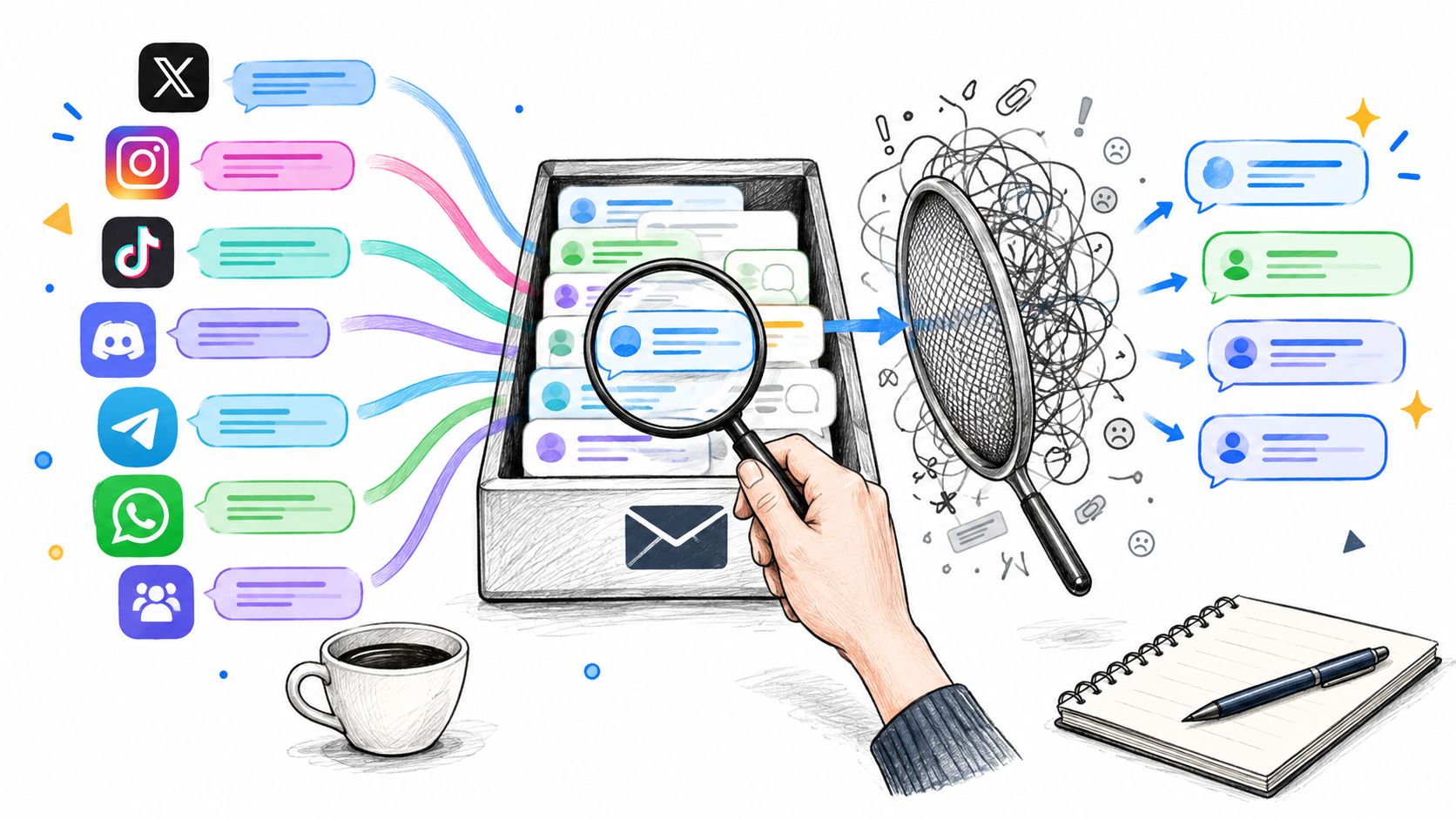
A listening layer is useful only if it brings the right signals together and removes enough noise for people to make good decisions. Start with the sources customers already use: owned social accounts, community spaces, forums, and relevant public mentions. A unified inbox should preserve the channel and conversation context, because a public reply and a private account question may need different handling even when they share the same intent.
Configure the signal layer before relying on it
Begin with coverage for product names, common error language, account and billing terms, and the names customers use for teams or services. Add regional slang and multilingual variants with people who understand how those phrases are used. A literal translation can miss a complaint's meaning or mistake an idiom for a threat.
Then configure filtering and interpretation:
- Remove obvious noise: Filter spam, bot activity, and irrelevant promotional posts. Keep an audit path so reviewers can check what the system excluded.
- Deduplicate reposts: A copied outage complaint shouldn't inflate the apparent number of distinct customers experiencing the issue.
- Interpret images cautiously: Screenshots can reveal error states, while memes may carry complaints indirectly. Treat an image classifier's result as a clue for review, not proof of intent.
- Preserve public and private context separately: Public posts can help reveal shared patterns. Private DMs may contain information that requires tighter access and more careful handling.
- Plan for time zones: Quiet-hours routing should distinguish routine items from urgent cases that need coverage outside a team's normal schedule.
Automation can filter and organize, but it shouldn't flatten uncertainty. Coordinated campaigns, sarcasm, and local idioms can look deceptively similar to genuine need signals if the system reads only keywords. Review misclassifications regularly, especially when a new slang term, meme format, or product issue starts showing up. Teams planning a broader discovery program can also consult these methods for user research, then adapt what fits the faster pace and messier language of social channels.
Tagging Intent and Urgency So Routing Actually Works
A tag is useful only when it changes what happens next. “Complaint” tells a dashboard little; “billing, disputed charge” points toward a real owner. Build a compact taxonomy that gives reviewers a shared language for intent, urgency, and destination. Start with the cases that drive work across teams: billing, account access, outage, refund, delivery, feature request, trust and safety, and PR risk.
A routing matrix teams can adapt
| Signal example | Intent tag | Urgency | Default owner |
|---|---|---|---|
| “I was charged after cancelling” | Billing, disputed charge | High if the customer needs immediate account help | Finance or billing support |
| “Can't get into my account” | Account access | High when access blocks an essential task | Customer support |
| Several customers report the same service error | Outage | High during an active incident | Engineering, with support coordination |
| “Please add this setting” | Feature request | Routine unless tied to a broader pattern | Product |
| Public post describes a serious brand issue | PR risk | Escalate for review | Communications |
| Message reports a scam or harmful behavior | Trust and safety | Escalate according to risk | Trust and safety |
The same phrase can need different routing. “This is broken” under a billing post may mean a failed payment flow, so finance or support should investigate. In a thread full of reports about an unavailable service, it may signal an outage that needs engineering. In a public post gaining attention, communications may also need visibility. Use the customer's message, conversation history, channel, and active incidents together; don't let a single phrase decide the route.
An intent tag should also map to an SLA bucket. A routine feature request can wait for the product feedback queue, while an outage report or a serious account-access problem needs prompt triage. Keep first-response expectations distinct from resolution expectations: a customer can receive a timely acknowledgment even when the investigation will take longer.
For AI-drafted replies, retrieval can help ground a response in approved knowledge rather than an invented policy. This overview of how RAG systems work provides useful background, but grounded language still needs the right routing and review. A tag without an owner, a queue, and a measurable SLA is decoration.
When AI Should Stop and Hand the Case to a Human
The difficult automation decision isn't whether AI can recognize a topic. It's whether the system has enough confidence and authority to keep acting. Customers aren't uniformly opposed to AI support: research among nearly 900 frequent social-media users found that 56% preferred human support for customer-service issues, while 25% preferred exclusively AI-powered support; 71% were satisfied with AI-involved support experiences (Verizon's customer experience report). Those findings point to a practical distinction: customers may accept AI assistance, but they need a dependable way to reach a person when the situation demands it.
Set handoff rules before the queue spikes
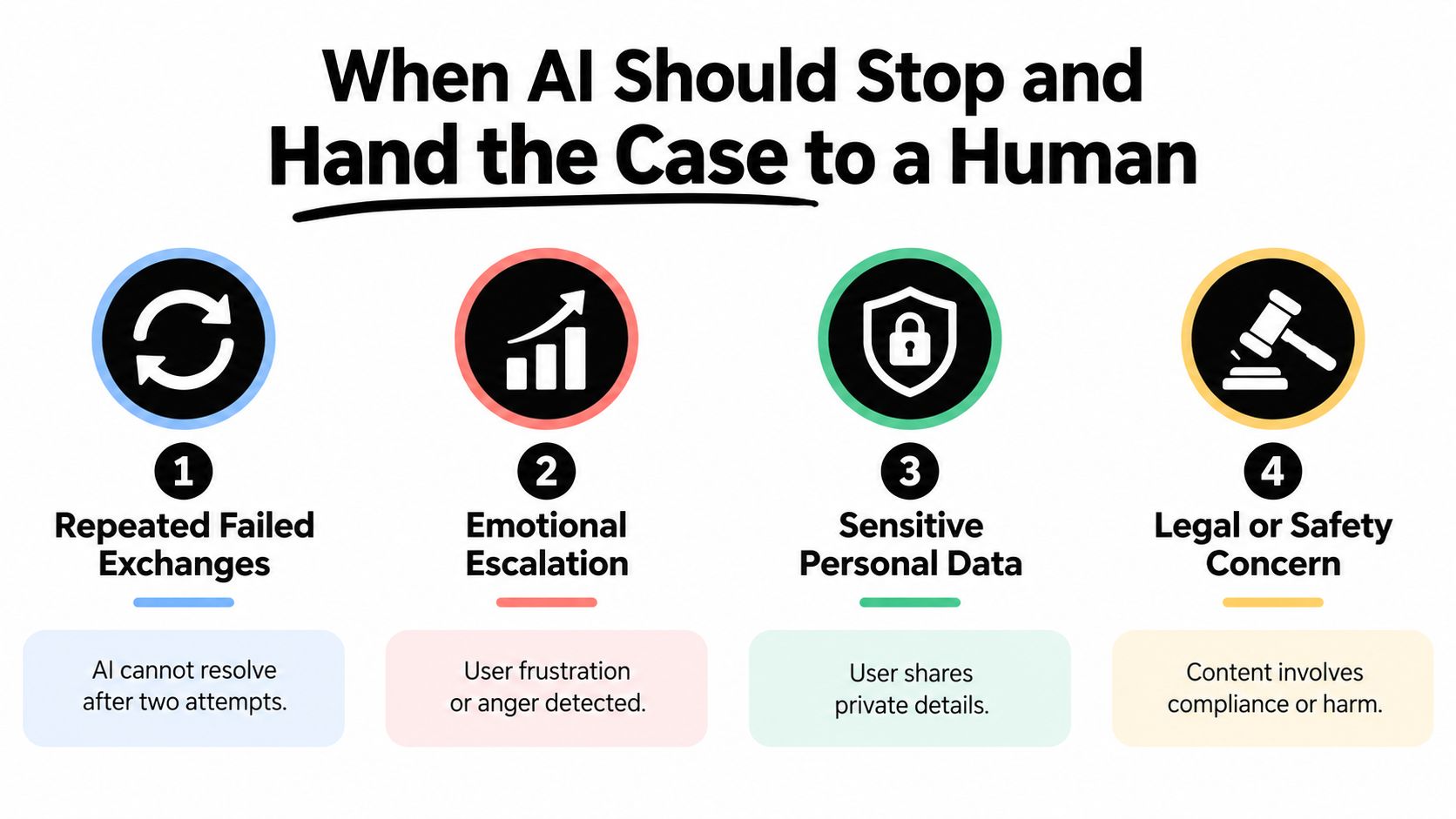
Don't wait for a customer to repeat themselves publicly before changing course. Configure a human handoff when the system detects:
- Repeated failed exchanges: The customer has already tried the automated path without resolution.
- Financial or safety implications: A charge dispute, account exposure, or possible harm needs accountable review.
- Emotional escalation: The customer expresses distress or anger that a templated reply may worsen.
- Public reputational risk: A complaint is attracting attention or involves a sensitive incident.
- A request for an exception: The case needs discretion the automation isn't authorized to exercise.
- An explicit request for a person: The customer says they want human assistance.
Use confidence thresholds to determine whether AI can tag or draft, not to override these triggers. Low-confidence cases can enter a review queue; high-risk cases should go straight to a qualified person. The handoff must include the message, relevant thread context, the detected need, and what the customer has already tried. Otherwise, the customer pays for the system's uncertainty by repeating the story.
Handoff rule: Automate routine work, but don't automate away accountability.
The policy can fail even when it's sensible on paper. If AI escalates every ambiguous message, reviewers face a wall of cases and become fatigued. Check whether the queue gives them enough context, whether urgent cases rise above routine ones, and whether staffing matches the escalation flow.
This video offers another perspective on designing AI support with human judgment in the loop.
Separating Public Signals from Private Account Data
Public conversations are valuable for spotting patterns, but they aren't permission to assemble a customer dossier. A meme, public complaint, or repeated post can suggest an unmet need at the group level. It doesn't justify pulling private account history into a reply without a clear reason and appropriate access.

Keep the two signal types distinct
| Public social signal | Private account context |
|---|---|
| Aggregate similar complaints to identify recurring problems. | Access only when needed to resolve the customer's specific case. |
| Use tags and trend patterns without attaching unnecessary personal details. | Limit access through role-based permissions for the teams handling the issue. |
| Treat indirect signals as hypotheses to validate, not as individual profiles. | Redact account numbers and other sensitive details from working notes where possible. |
A 2025 global study reported that 66% of consumers were uneasy about an AI agent accessing their full business history, and another consumer study found that 83% wanted disclosure when AI was used in customer care (Twilio's investor materials). Clear disclosure and limited access aren't administrative extras; they shape whether customers trust the interaction. If a conversation involves AI assistance, explain that plainly and provide an accessible route to human help.
Set retention rules for social-care data and limit role-based access to what each team needs. Finance may need details to investigate a disputed charge; communications may need the public thread and approved incident context, not the customer's full account record. Redact sensitive details when sharing examples for trend analysis, and keep an audit trail for sensitive access.
A useful boundary is simple: aggregate public signals to understand shared needs; bring sensitive account context into an individual case only when the customer raises it or consents to its use. That keeps discovery useful without turning listening into surveillance.
Prioritizing Needs Without Burning Out the Team
A busy inbox can make the loudest issue look like the most important one. Raw mention volume is a poor priority rule: reposts, coordinated campaigns, and highly vocal users can distort the picture. A better weekly backlog weighs deduplicated frequency, severity, confidence, escalation consequence, and SLA risk.
Build a review score people can explain
Keep the scoring approach simple enough that agents and managers can challenge it. For each recurring need, review:
- Frequency: How many distinct customer conversations remain after duplicates and obvious spam are removed?
- Severity: Could the issue affect money, safety, access, or customer retention?
- Escalation consequence: Is the pattern likely to create public reputational risk or require multiple teams?
- SLA risk: Are cases sitting in a queue that can't resolve them quickly enough?
- Confidence: Do message context and reviewer agreement support the classification?
Use those dimensions to compare needs, not to disguise a judgment call as an objective score. A viral billing surge may deserve faster attention than a larger pile of low-consequence mentions because customers could be facing the same financial problem. A PR-risk cluster may need communications visibility even if it's smaller than a broad stream of routine questions.
During the weekly review, sort the backlog into actionable groups. Assign a named owner to issues needing investigation, route recurring feature requests to product, and flag unresolved patterns for deeper analysis. Track newly emerging needs separately from known issues so a familiar tag doesn't hide a new problem inside an old category.
The main operational risk is overloading reviewers with escalations. If every uncertain classification becomes urgent, the team stops distinguishing urgency from uncertainty. Review the queue for repeated misroutes, missing context, and cases that could have been safely resolved through approved automation. Adjust the rules when they create unnecessary handoffs, but never lower escalation safeguards to improve an auto-closure rate.
A useful weekly output is a short, ranked list with the need, supporting conversation patterns, severity, confidence, owner, and next action. That gives product, finance, engineering, and communications something they can act on, while keeping social care focused on customers waiting for a response.
Closing the Loop With Analytics and Brand Voice
Identifying customer needs becomes an operating system only when resolutions change what the team does next. A social-care dashboard should show whether filtering helps reviewers find meaningful cases, whether routing gets those cases to the right owner, and whether customers get useful replies rather than fast but generic acknowledgments.
Measure the work, then change the rules
Track noise-filtered percentage, deduplicated need frequency, first-response time, resolution time, escalation rate, auto-closure rate, proactive saves, and the share of newly discovered needs. Read those measures together. A high auto-closure rate doesn't prove the team resolved the right work if customers reopen cases or escalate elsewhere. A fast first response means little if the reply ignores the actual issue.
Social support requires speed and context. In a survey of consumers in the United States and United Kingdom, 76% valued brands prioritizing customer support, 76% valued fast responses, and 70% expected personalized responses when contacting a company on social media (Sprout Social's consumer research). Personalization isn't a name in a template. It's a reply that reflects the customer's specific need, channel, and previous exchange.
Hold a regular review with social care and the teams that receive escalations. Look at emerging needs, inspect misclassified cases, update intent tags, and refine brand-voice guidance for AI drafts using approved examples. Send validated product patterns to product owners, billing issues to finance, outage trends to engineering, and reputation-sensitive clusters to communications.
Sift AI is one option for this workflow: its unified inbox brings social and community conversations together, while its AI can filter noise, tag intent, route cases, draft replies, and surface analytics for human review. The operating principle remains the same regardless of the tools: identifying customer needs on social is a recurring triage rhythm, not a one-time project.
If billing complaints, outage reports, and feature requests are competing in one queue, Sift AI brings social and community signals into a unified inbox, with AI-assisted tagging, routing, draft replies, and analytics. See how it can help your team filter routine noise while keeping people responsible for the cases that need judgment.