CRM for Customer Service: A 2026 Enterprise Comparison
"Compare the best CRM for customer service in 2026 across routing, automation, omnichannel support, SLAs, and pricing for enterprise social care teams."
You're already living the failure mode: a customer posts a refund complaint on X, the thread grows, the same person slips into DMs, finance wants proof of chargeback status, trust and safety wants to know if the account is real, and the case is finally “closed” in the CRM after a long delay, while the customer says you ignored them. That's not a ticket problem. It's an ownership problem, and the CRM only helps if it behaves like an issue-management layer across public and private channels, not a storage bin for case notes.
| Evaluation axis | What good looks like in social care | What usually breaks |
|---|---|---|
| Routing | Intent-based, multilingual, urgent issues go to the right team fast | Queue-based handoffs that miss context |
| Automation | Filters noise, drafts replies, suggests next action | Automates volume but loses judgment |
| Omnichannel coverage | One inbox across social, messaging, and community | Separate queues that fragment the story |
| SLA management | Different targets by intent and risk | One blended SLA that hides urgent misses |
| Reporting | Per-channel, per-intent, per-escalation metrics | Blended averages that flatter weak queues |
The right lens is blunt. If a platform can't preserve context across X, Instagram, TikTok, Discord, Telegram, WhatsApp, forums, and internal teams, it isn't built for modern service operations. It may still be a fine records system, but it's not the control layer your social-care team needs.
Table of Contents
- When a Billing Reply Becomes a Cross-Team Case
- Why CRM Is Now the Backbone of Customer Service
- The Five Axes That Separate Social-Care CRMs
- Routing and Triage Across Social and Community Channels
- Measuring What Actually Matters in CRM-Driven Service
- Integration and Ownership Beyond the Connector List
- Pricing and Scale for Enterprise Social Care
- An Evaluation Checklist and Situational Recommendations
When a Billing Reply Becomes a Cross-Team Case
A customer posts a billing complaint in replies, tags your brand twice, and gets impatient before your team even sees the mention. Someone on your team moves the conversation into DMs, but now the context is split between a public thread, a private message, and an internal note about whether the charge needs finance approval. By the time trust and safety is looped in because the message hints at fraud, the customer has already decided you're stalling.
That's the true test of crm for customer service. Not whether it stores the ticket, but whether it keeps the case alive as it moves across channels, owners, and risk levels. A CRM that loses the thread between public escalation and private resolution makes your team look slower than it is.
Practical rule: if a customer has to repeat the same issue after a channel switch, your workflow failed, even if the case eventually closes.
The best teams treat the CRM as the place where ownership is explicit and visible. If finance needs to approve a refund, if communications needs to watch for reputational fallout, or if trust and safety needs to review a suspicious pattern, those are not side comments. They're part of the case state.
For multilingual escalations, the handoff matters just as much as the answer. A quick reference like the Translators USA interpreting guide is useful when the issue is sensitive, the language is shifting, and the team can't afford a bad assumption. In practice, that's the difference between a clean resolution and a public thread that keeps growing after “closure.”
Why CRM Is Now the Backbone of Customer Service
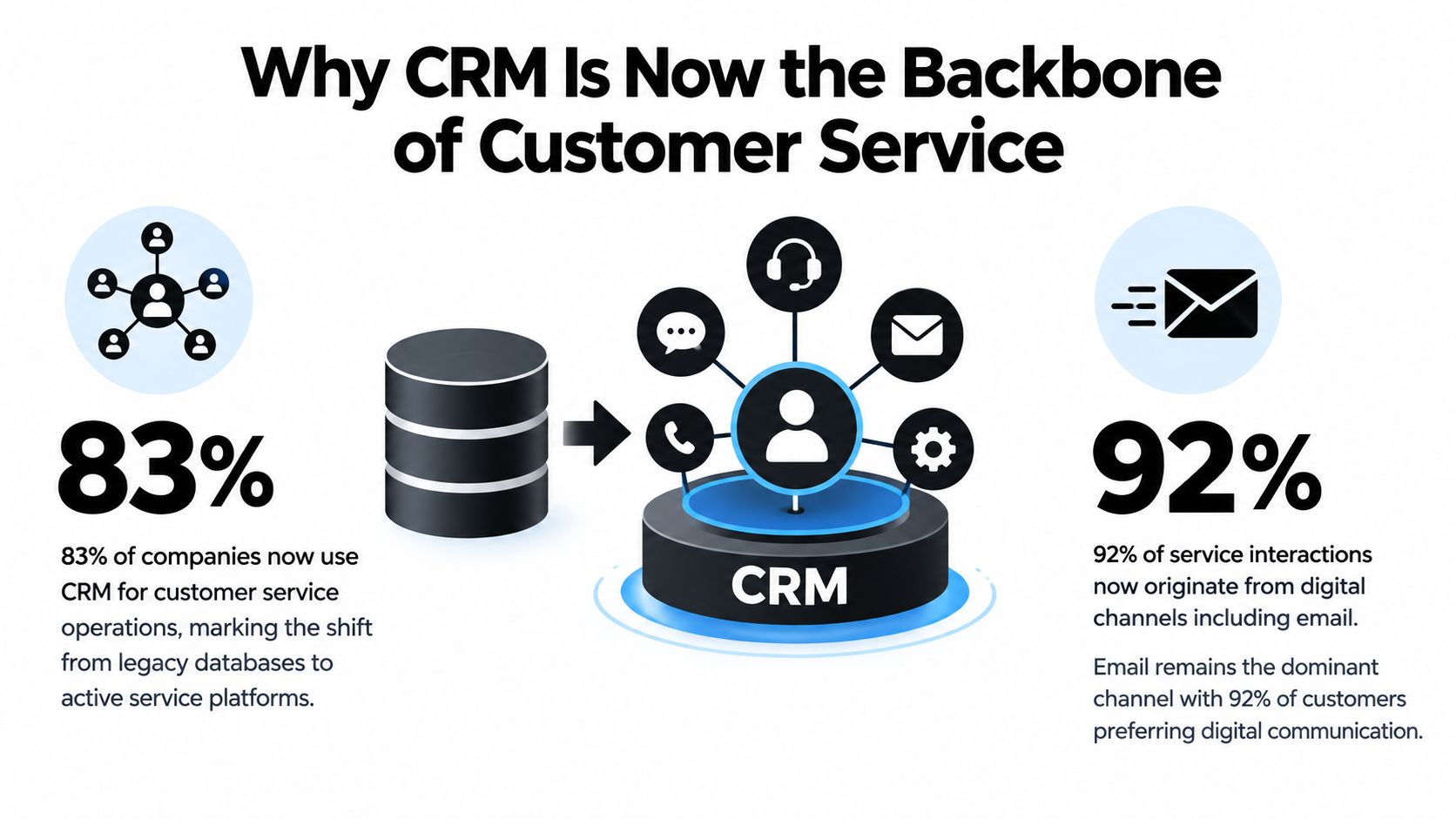
A CRM stopped being a sales-only record system a long time ago. In a 2023 European B2B customer-service study, 83% of service teams used CRM as their primary customer-service solution, and 46% of incoming support tickets arrived by email, making email the largest individual contact source by volume (SuperOffice). That matters because service teams do not work in one channel. They work across a stack of channels that need one operational record.
The shift is operational, not cosmetic
Cloud CRM use rose from 12% in 2008 to 87% in 2023 (Sci-Tech-Today). That is a service story as much as a deployment story. Once CRM lives in the cloud, support, community, comms, and escalation teams can work from the same system instead of treating customer history as a back-office archive.
Consistency is the issue. A CRM only improves service when it captures every interaction in a searchable history and keeps ownership clear. If tagging is sloppy or handoffs are unclear, agents see fragments instead of the full case. SuperOffice also notes that 74% of CRM users say the system improves access to customer data, while 47% say data-quality problems significantly affect satisfaction with the system (SuperOffice). That gap explains why software alone does not fix service.
Good CRM in customer service is less about records and more about reducing ambiguity at the exact moment a customer is annoyed.
For enterprise social care, the CRM has to behave like a service hub. It should connect public mentions, private messages, email, and internal notes into one traceable workflow. A multilingual escalation often needs human interpretation too, and a resource like the Translators USA interpreting guide can help when a sensitive issue shifts languages mid-case. Without that structure, the team looks busy while the customer still feels ignored.
The Five Axes That Separate Social-Care CRMs
Routing
Good routing doesn't just assign a queue. It recognizes intent, urgency, language, and risk. A billing complaint in Spanish, a spam wave in comments, and a possible outage report all need different handling, even if they arrive in the same minute.
Legacy service CRMs often route by field or form. Social-native systems route by what the customer said, who should own it, and whether the issue needs a public or private response. That difference matters when slang, screenshots, memes, or mixed-language posts are part of the case.
Automation
Automation should remove noise, not judgment. If a platform only accelerates reply volume, it can make the team look productive while the actual issue is still stuck. Good automation filters junk, drafts the obvious response, and escalates the cases that need a human decision.
Omnichannel coverage
Omnichannel isn't a logo checklist. It's whether the platform preserves context when a complaint starts in a mention, moves to a DM, and ends up in a community thread. Legacy CRMs often stitch channels together after the fact, which is too late for social care.
SLA management
A single SLA across every channel is lazy. A product question, an outage, a PR-sensitive complaint, and a safety issue should not share the same urgency threshold. Social-care teams need SLAs by intent and risk, not just by platform.
Reporting
Reporting has to show what happened. Blended averages hide bad queues, weak handoffs, and reopen loops. If the dashboard can't break down performance by channel, intent, and escalation path, it's decorative.
Routing and Triage Across Social and Community Channels
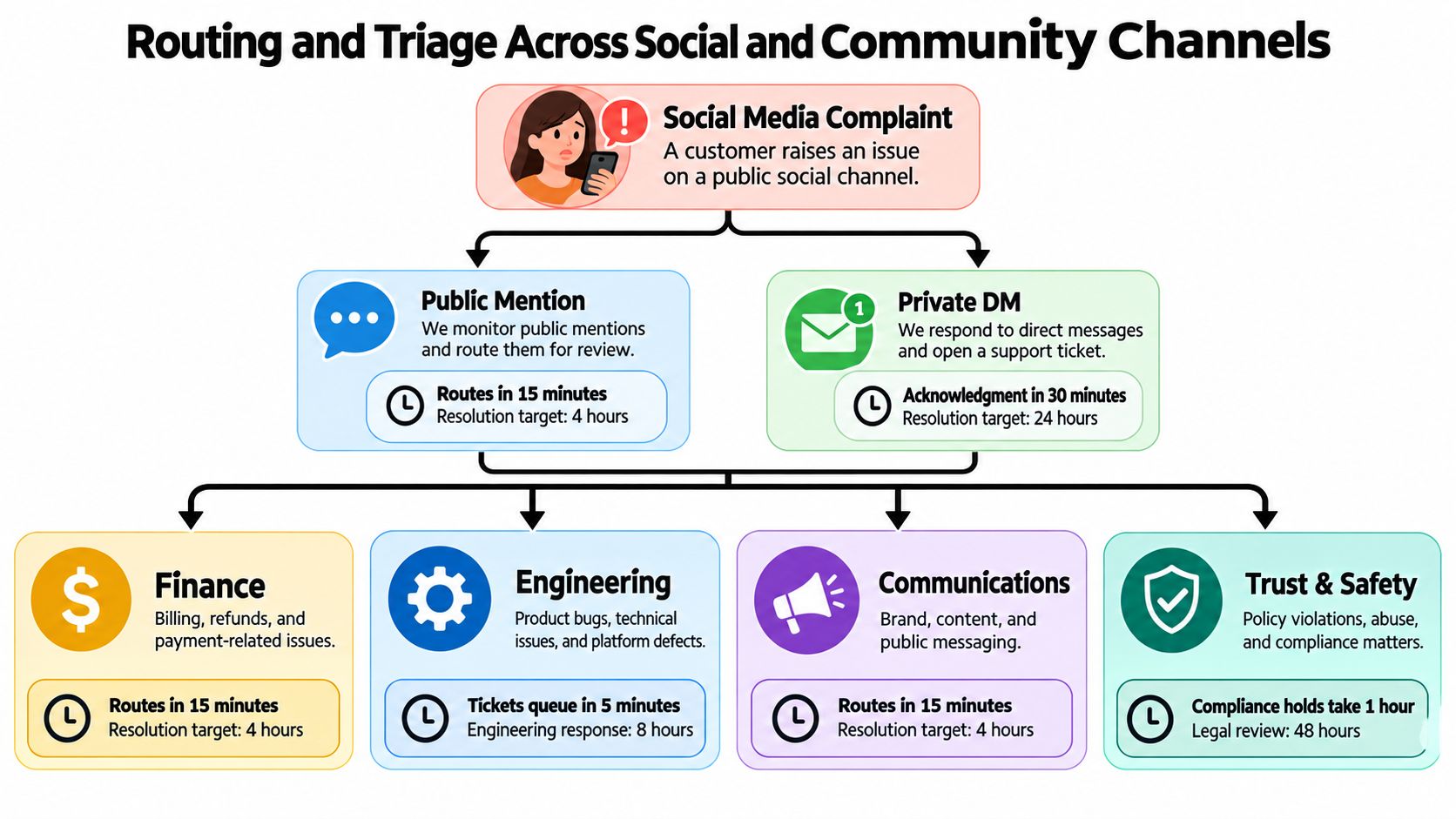
A customer doesn't care that your org chart is tidy. They care that the right team answers before the issue grows teeth. The triage question is simple, who owns this, and how fast does ownership change when the issue moves from public complaint to private evidence to cross-functional action?
Route by intent, not by channel alone
Start by tagging the issue. A billing complaint should move differently from an outage report, even if both arrive in comments. A suspected fraud claim should hit a different escalation rule than a basic delivery question. That is why teams using Sift AI-style workflows focus on filtering noise, tagging intent, and routing to support, comms, product, or trust and safety instead of treating every inbound as the same kind of case.
The operational metric that gets ignored too often is time to handoff. Time to first reply matters, but if the case sits in the wrong owner's queue for an hour, you still failed. Your CRM should make every transfer visible, auditable, and tied to the original signal.
Build escalation rules before volume spikes
This matters most when the issue is public. Research cited in customer-service benchmarks reports that 53% of customers expect a response on X within one hour, and that expectation rises to 72% for complaints (Kayako). That's why teams need a triage model that separates ordinary questions from incidents that can't wait.
Use a shared rule set for the basics.
- Public mentions: route fast, because the customer already went public.
- Private DMs: capture evidence, because the fix may require account data or order history.
- Finance cases: attach payment context immediately, so refund logic doesn't stall.
- Engineering cases: attach incident markers, so product bugs don't get misread as isolated complaints.
- Trust and safety cases: escalate anything that suggests fraud, harassment, or abuse.
The mistake is assuming triage is a queue assignment. It's really a decision about urgency, ownership, and what kind of response will prevent a second contact. The moment you get that wrong, the customer starts telling the story for you.
Measuring What Actually Matters in CRM-Driven Service
A CRM that only stores tickets is easy to admire and hard to trust. The metrics that matter are the ones that tell you whether the customer got help quickly, correctly, and without unnecessary back-and-forth. That means separating first-response time, resolution time, first-contact resolution, reopen rate, transfer count, and auto-closure rate instead of blurring them into one friendly-looking service number.
FCR is useful only if the issue actually stays closed
Cross-industry benchmarks commonly place first-contact resolution at roughly 70% to 79%, while world-class operations reach 80% or higher (Kayako). That sounds straightforward until you see how teams game it. A case can look resolved on the first touch and still reopen later because the handoff was weak or the customer never got the actual answer.
If FCR is high but reopen rate is ugly, the team is closing cases too early or routing them badly.
That's why a unified interaction history matters. The CRM should show prior contacts, account context, ownership, and any related case identifiers so agents don't repeat work. When reporting is segmented by channel and intent, you can see whether Instagram complaints resolve faster than email, whether billing behaves differently from feature requests, and whether one queue is underperforming.
Automation should be judged by outcomes
A 2024 customer-service benchmark report based on large-scale ticket data found that organizations using generative-AI productivity features improved first-response time by up to 37.60% and resolution time by up to 38.70% (Freshworks). That's the right way to evaluate automation. Not by how many replies the system can spit out, but by whether the case actually moves faster from intake to closure.
Here's the metric stack I'd put in a vendor demo.
| Metric | What it measures | Why social care needs it | Target band |
|---|---|---|---|
| First-response time | Speed to first human or approved automated response | Public posts punish slow acknowledgment | Channel-specific, not blended |
| Resolution time | Time from intake to real closure | Shows whether the case was actually fixed | Track by intent and complexity |
| First-contact resolution | Issues solved without follow-up | Reduces repeat contacts and queue churn | Measure by channel and issue type |
| Reopen rate | Cases that reopen after closure | Exposes premature closure | Keep this visible beside FCR |
| Transfer count | How often a case moves owners | Surfaces broken routing | Lower is usually better |
| Auto-closure rate | Cases closed automatically | Shows where automation is overreaching | Pair with reopen monitoring |
Integration and Ownership Beyond the Connector List
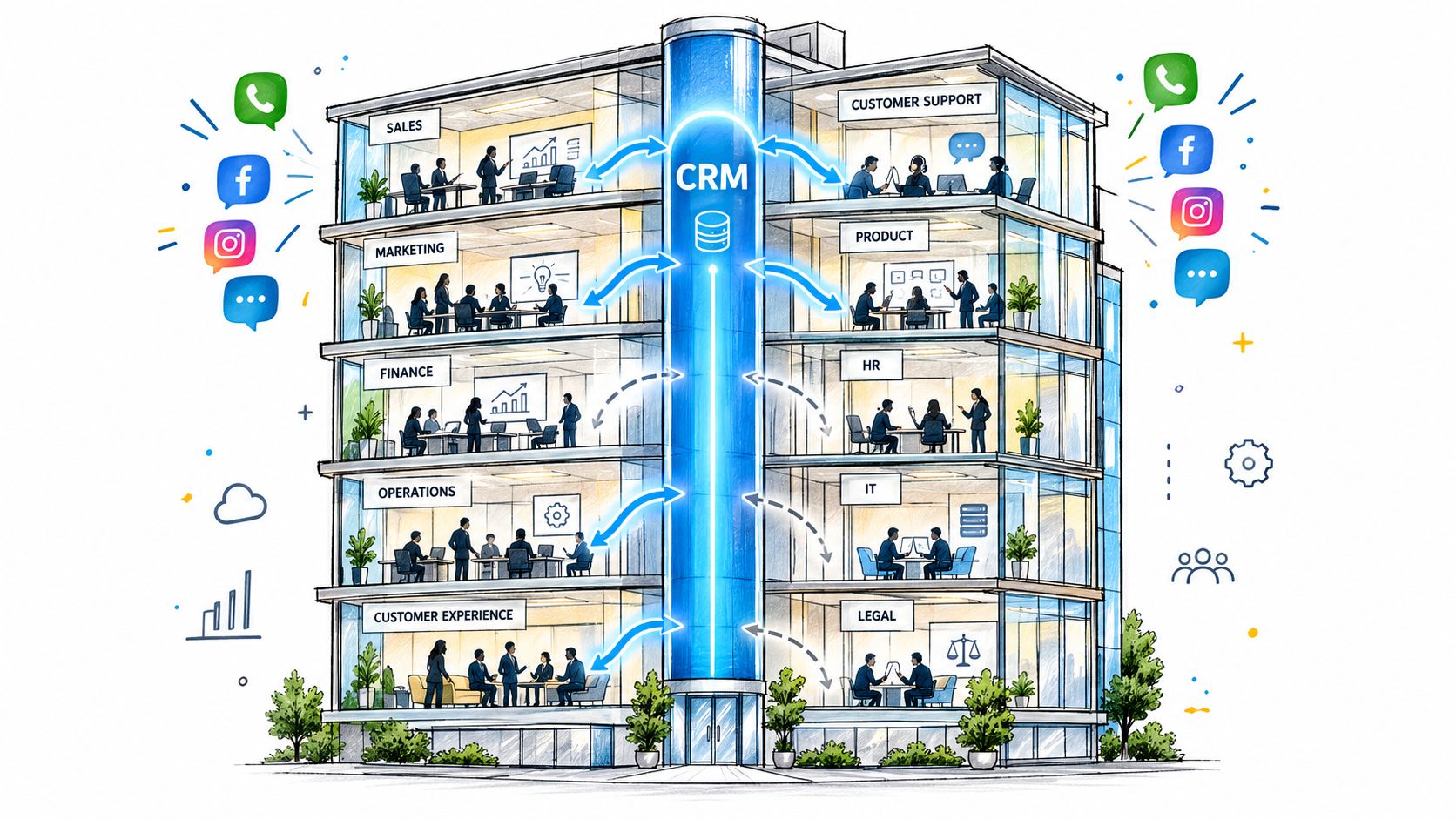
The integration slide deck always looks impressive. The core question is simpler: who owns the case when it crosses departments, and who can prove what happened if the customer disputes the outcome later? In a 2025 survey of more than 100 customer-management executives, only 11% said their contact center was fully integrated with other departments, and only 5% rated cross-channel customer experience as very consistent (Customer Contact Week Digital).
Fewer connectors, more ownership rules
That gap is why connector counts are a bad proxy for maturity. You can connect finance, engineering, comms, and trust and safety to the CRM and still fail if nobody owns the shared resolution state. The platform has to preserve context as the case moves, not just sync a few fields between systems.
A useful way to judge any integration claim is to ask four questions. Who can update the case? Who can see the full history? Who approves the final answer? Who is accountable when the customer posts again? If a vendor can't answer those cleanly, the integration story is too shallow for enterprise social care.
For teams that also care about reputation workflows, a practical example is to sync your CRM for reviews with RecensioAI B.V.’s guide on automated review flows, but only after the service workflow itself is stable. Automation on top of confusion just spreads the confusion faster.
Integration is useful only when it reduces handoff ambiguity. If the handoff is still fuzzy, the connector didn't solve the real problem.
Pricing and Scale for Enterprise Social Care
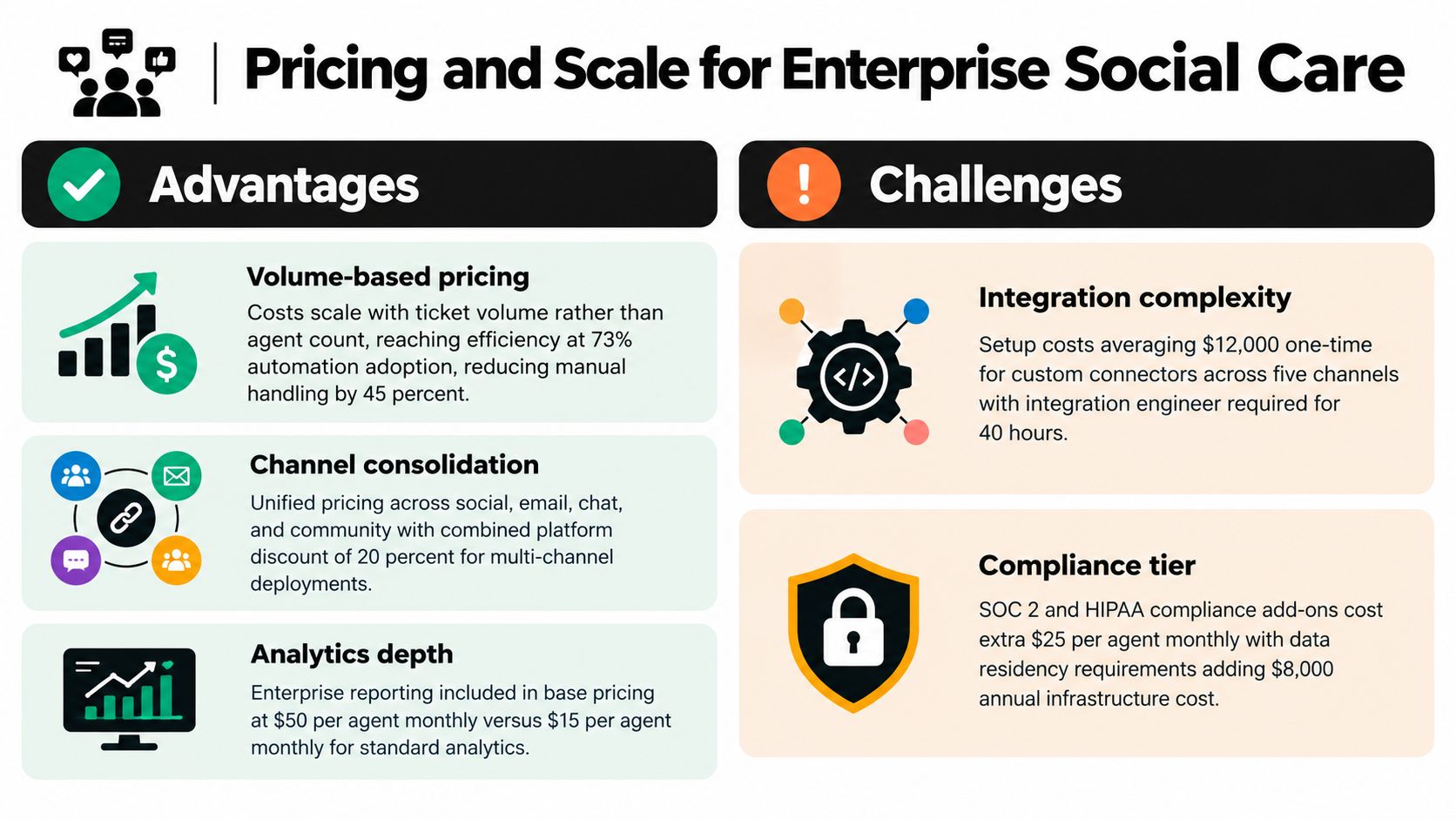
Enterprise social-care CRM pricing breaks down when teams buy on seat count alone. That is how hidden fees show up for API calls, automation, analytics, and compliance add-ons just as volume spikes. Judge the platform on ticket volume, channel mix, automation depth, compliance tier, and the reporting load your executives will demand.
The true test is surge cost. A billing complaint can turn into a wave of replies, a product outage can flood mentions, and a PR issue can pull in legal and comms at the same time. Seat-only pricing looks tidy until those cases hit, then the bill climbs in the places procurement did not model.
Model the cost around the work, not the roster
Sift AI is an example of a newer operating model because it prices around ingestion, automation, and integrations instead of assuming the channel mix stays fixed. Traditional service CRMs still lean on seats, which works until an outage or a PR flare-up triples inbound volume and the low headline price becomes the expensive option.
A better procurement question is simple. What does it cost to absorb a surge without breaking routing, slowing replies, or losing escalation visibility? If that answer depends on hidden add-ons, the sticker price is misleading. Ask for the full run-rate under a real incident, then compare it against the work your team handles.
An Evaluation Checklist and Situational Recommendations
Start every demo with real cases, not polished screenshots. Bring a billing complaint from replies, an outage surge from mentions, a multilingual DM thread, a spam wave in community posts, and a PR-sensitive escalation. Then test whether the platform can tag intent, preserve context, route to the right owner, and report on the result without manual cleanup.
Use this checklist and don't let vendors dodge it.
- Routing accuracy: Does the system send the right issue to finance, engineering, comms, or trust and safety without human babysitting?
- SLA fit: Can it handle the fact that about three-quarters of consumers expect a response to social customer-service messages within 24 hours or sooner, while the average brand response time is roughly five hours (Sprout Social)?
- Automation quality: Does it reduce noise and draft replies, or does it just create more work for reviewers?
- Ownership visibility: Can every handoff be audited from first touch to final closure?
- Reporting depth: Can you break performance down by channel, issue type, and escalation path without exporting a spreadsheet?
- Community fit: Does it handle owned forums and public social together, or do you still need two operating models?
For high-volume support-via-social, I'd favor a unified inbox that prioritizes intent-based routing, fast acknowledgment, and clear escalation rules. For PR-risk-heavy brands, the system has to surface reputational issues early and preserve a shared record across comms and trust and safety. For community-plus-support teams, the platform needs to handle both public discussion and private casework without forcing a split brain.
If you're comparing support platforms more broadly, Cyndra's take on customer service platforms is a useful lens for how different teams evaluate fit. For teams that need AI-driven triage, cross-team routing, and a unified inbox across X, Instagram, TikTok, Discord, Telegram, WhatsApp, and forums, Sift AI is the option worth putting against your hardest cases. If your workflow is still mostly email tickets with limited social volume, a ticket-centric CRM may still be the simpler call.
If you're rebuilding customer service around social speed, Sift AI gives you the unified inbox, intent tagging, routing, and escalation logic that a modern crm for customer service should provide. Visit Sift AI to see how it handles public complaints, private follow-ups, and cross-team ownership in one workflow.